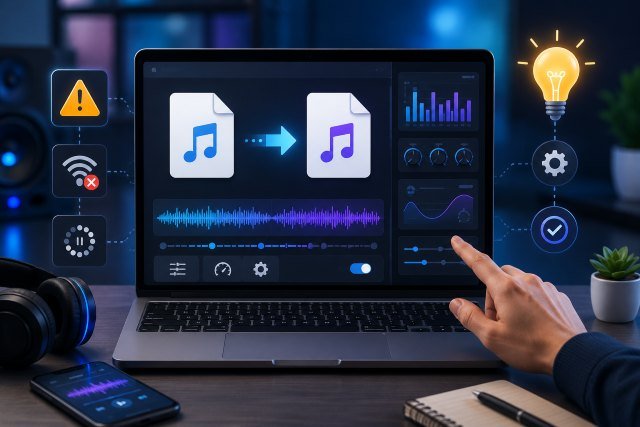
Cnv Mp3 is commonly searched by users who want a simple way to convert online videos or audio files into MP3 format. For many people, the appeal is clear: MP3 files are small, easy to store, and compatible with almost every phone, laptop, music player, and editing tool. The MP3 format itself has been around for decades, and Fraunhofer IIS notes that “MP3” stands for MPEG-1 Audio Layer-3, a format standardized through ISO-MPEG work in the 1990s.
- What Is Cnv Mp3?
- Why MP3 Still Matters
- Key Features of Cnv Mp3 Tools
- Cnv Mp3 and Audio Quality
- Common Cnv Mp3 Issues Users Face
- Legal and Safety Considerations
- Smart Usage Tips for Cnv Mp3
- Best Real-World Uses for Cnv Mp3
- Cnv Mp3 Alternatives to Consider
- FAQs About Cnv Mp3
- What is Cnv Mp3 used for?
- Is Cnv Mp3 free?
- Does Cnv Mp3 reduce audio quality?
- Is it legal to convert online videos to MP3?
- What bitrate should I choose for MP3?
- Conclusion
That long history is one reason MP3 remains popular even when newer formats like AAC, FLAC, and Opus exist. It is not always the highest-quality format, but it is one of the most convenient. When users search for Cnv Mp3, they are usually looking for speed, compatibility, and a clean download process.
However, not every MP3 conversion tool works the same way. Some focus on uploaded files, while others claim to convert online video links. Some tools provide bitrate settings, file trimming, or metadata editing, while others offer only a basic one-click conversion. Because of this, it is important to understand the features, risks, common errors, and smarter ways to use Cnv Mp3-style tools.
What Is Cnv Mp3?
Cnv Mp3 generally refers to an online MP3 conversion service or search term connected with converting media into MP3 audio. In practical terms, users may use it to extract audio from a video, convert another audio format into MP3, or save a file in a more widely supported format.
A Reddit post describing CnvMP3 presents it as a free YouTube-to-MP3 converter that can convert videos into MP3 quality up to 320 kbps without installing software. Since that information comes from a community post rather than an official product page, users should treat it as a promotional or user-generated description rather than verified technical documentation.
The broader idea is simple. A converter takes an input file or media source, processes the audio stream, and exports it as an MP3 file. This can be useful for lectures, voice notes, podcasts, royalty-free music, personal recordings, interviews, and offline listening where allowed.
Why MP3 Still Matters
MP3 remains useful because it balances file size and sound quality. A WAV file can sound better, but it is much larger. A FLAC file can preserve more detail, but not every simple player or web tool supports it. MP3 works almost everywhere.
Fraunhofer IIS explains that MP3 became one of the most influential audio formats because it made digital audio smaller and easier to distribute. The format’s official name, MPEG-1 Audio Layer-3, also explains why “MP3” became the file extension people recognize today.
For everyday use, this matters because people do not always need studio-grade audio. A student saving a lecture, a creator organizing reference audio, or a user converting a voice recording may prefer a small, easy-to-share MP3 file over a heavier format.
Key Features of Cnv Mp3 Tools
A good Cnv Mp3 tool should make conversion simple without forcing users through confusing steps. The most basic feature is file conversion. This allows a user to upload an audio or video file and convert it into MP3.
Some online converters, such as Online-Convert, support converting uploaded audio files to MP3 and can also extract audio from video files. This is a useful feature for people who already own or have permission to use the media file.
Another important feature is format support. Many people do not start with MP3. They may have M4A, WAV, AAC, FLAC, MP4, MOV, or other formats. FreeConvert, for example, says its MP3 converter supports many audio and video formats, including WAV, FLAC, M4A, OGG, AAC, MP4, MOV, AVI, and more.
Bitrate control is also valuable. A higher bitrate usually means better sound quality but a larger file. A lower bitrate reduces file size but may make music sound flat or compressed. CloudConvert notes that MP3 conversion options can control audio quality and file size, which is useful when users need a specific balance.
Some mobile apps also offer metadata editing. One MP3 Video Converter listing on Google Play says it supports bitrate options and metadata such as title, album, and artist. Metadata is useful because it helps organize files correctly in music players and media libraries.
Cnv Mp3 and Audio Quality
Audio quality is one of the biggest concerns with any MP3 converter. Many tools advertise “high quality” or “320 kbps,” but the final result depends on the source file. If the original audio is low quality, converting it to 320 kbps will not magically restore missing detail.
A simple way to understand this is to imagine taking a blurry photo and saving it in a larger file size. The file may become bigger, but the lost detail does not return. The same idea applies to audio.
For voice recordings, lectures, and podcasts, a medium bitrate may be enough. For music, users usually prefer a higher bitrate because music has more frequency detail, layered instruments, and dynamic changes. Still, converting the same file again and again can reduce quality because MP3 is a lossy format.
The smartest approach is to start with the best available source and convert only once. Avoid repeatedly converting MP3 to MP3. If possible, keep an original copy in a higher-quality format and create MP3 versions only when needed.
Common Cnv Mp3 Issues Users Face
One common problem is failed conversion. This may happen when the source file is too large, the internet connection is unstable, or the converter does not support the uploaded format. Some tools also limit file size for free users.
Another common issue is slow processing. Online conversion depends on server load, upload speed, file size, and output settings. A short voice note may convert quickly, while a long video or high-quality audio file can take much longer.
Users may also face audio-video mismatch when converting from video files. In some cases, the extracted audio may start late, cut off early, or include background noise. This is often connected to the original file structure, encoding, or poor source quality.
Poor sound quality is another frequent complaint. If the output sounds muffled, distorted, or too quiet, the problem may come from low source quality, aggressive compression, or incorrect bitrate settings.
Some users also experience download problems. A converted file may not save correctly, may appear with a strange file name, or may be blocked by browser security settings. This is why it is better to use trusted tools and avoid suspicious pop-ups, fake download buttons, or pages that ask for unnecessary permissions.
Legal and Safety Considerations
Cnv Mp3-style tools should be used carefully. Converting your own files, royalty-free audio, public-domain material, or content you have permission to use is generally the safest approach. Problems begin when users download or extract copyrighted audio from platforms without permission.
YouTube’s Terms of Service say users may access and use the service as made available by YouTube and must comply with the agreement and law. The terms also include restrictions on how content can be accessed and used. This means users should not assume that every online video can legally be converted or downloaded.
For creators, copyright can create bigger issues. Lifewire notes that using commercial music without permission on YouTube may lead to copyright claims, takedowns, or audio removal, and it recommends using YouTube’s Audio Library as a safer source for music and sound effects.
From a security angle, users should also be careful with unknown converter websites. Avoid tools that force browser extensions, push suspicious notifications, open multiple pop-ups, or ask for personal information that has nothing to do with file conversion.
Smart Usage Tips for Cnv Mp3
Use Cnv Mp3 only for content you own, created yourself, or have permission to convert. This keeps your usage cleaner and reduces legal risk.
Choose the right bitrate for the purpose. For speech, a lower or medium bitrate can work well. For music, a higher bitrate may sound better, especially if the original file is clean.
Check the source quality before converting. If the original file already sounds bad, the MP3 version will likely sound bad too. Conversion can make a file more convenient, but it cannot fully repair poor recording quality.
Rename your files properly after downloading. A clean file name with the topic, date, speaker, or project name makes it easier to find later. This is especially useful for students, editors, podcasters, and content creators.
Scan downloaded files when using unfamiliar websites. A real MP3 file should not require you to install extra software just to play it. If a website gives you an EXE file, browser add-on, or unknown installer instead of an audio file, avoid it.
Keep backup copies of important originals. MP3 is convenient for sharing and playback, but original files are better for editing and long-term storage.
Best Real-World Uses for Cnv Mp3
Cnv Mp3 can be useful for students who want to organize recorded lectures into smaller files. MP3 files are easy to store on phones and can be played during travel, exercise, or revision sessions.
It can also help content creators who need reference audio from their own recordings. For example, a YouTuber may convert a recorded voiceover into MP3 for quick review before final editing.
Podcasters may use MP3 versions for drafts, client previews, or lightweight sharing. However, for final production, they may still keep WAV or high-quality source files.
Businesses can also use MP3 conversion for meeting recordings, training audio, or internal learning materials. Smaller MP3 files are easier to email, upload, and archive than large raw recordings.
Cnv Mp3 Alternatives to Consider
Cnv Mp3 is not the only option. Online-Convert, FreeConvert, and CloudConvert all provide MP3 conversion features, including support for multiple file formats and quality-related settings.
The best choice depends on what you need. If you only need a quick file conversion, a simple browser-based tool may be enough. If you need privacy, batch conversion, or professional control, desktop software may be better.
For sensitive files, such as private meetings or business recordings, offline software is often safer than uploading files to a third-party website. For casual non-sensitive files, online converters are usually more convenient.
FAQs About Cnv Mp3
What is Cnv Mp3 used for?
Cnv Mp3 is used to convert audio or video content into MP3 format. People commonly use it for voice recordings, lectures, podcasts, personal media files, and other audio that needs to be smaller or more compatible.
Is Cnv Mp3 free?
Some Cnv Mp3-style tools claim to be free, but features may vary. Free tools may include ads, file-size limits, slower conversion, or fewer quality settings.
Does Cnv Mp3 reduce audio quality?
MP3 is a lossy format, so some audio data is removed during compression. The quality loss may be small if the source file is good and the bitrate is high, but repeated conversions can make the sound worse.
Is it legal to convert online videos to MP3?
It depends on the content, platform rules, and copyright permissions. Converting your own content or licensed content is safer. Downloading copyrighted audio without permission may violate platform terms or copyright law. YouTube’s terms require users to follow the service agreement and applicable law.
What bitrate should I choose for MP3?
For voice, moderate bitrate is usually enough. For music, higher bitrate is better if you want clearer sound. The right choice depends on whether you care more about quality or file size.
Conclusion
Cnv Mp3 can be a useful tool when you need quick, simple, and compatible audio conversion. Its biggest advantage is convenience: MP3 files work on almost every device, take less storage space, and are easy to share.
Still, smart usage matters. Always check the source quality, choose the right bitrate, avoid suspicious download pages, and only convert content you have the right to use. MP3 may be an older format, but because of its flexibility and universal support, it remains one of the most practical audio formats for everyday users.