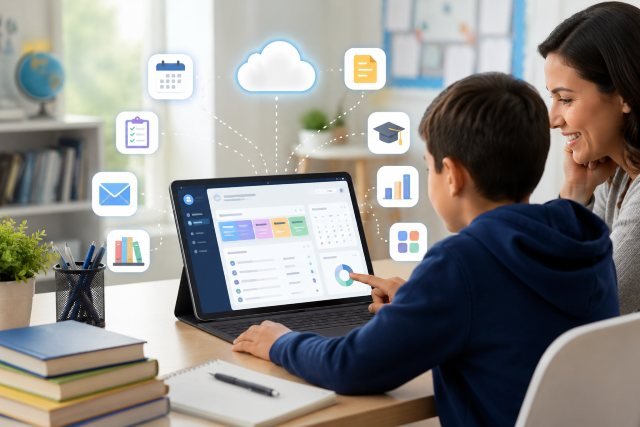
MyKatyCloud is one of the most useful digital access points for Katy ISD students, parents, and staff. Instead of jumping between separate websites for grades, learning tools, library resources, district apps, and technology support, users can start from one centralized school portal. For busy families, this can make the school day easier, especially when students need quick access to assignments, online textbooks, email, Home Access Center, or digital learning platforms.
- What Is MyKatyCloud?
- Why MyKatyCloud Matters for Students and Families
- How to Access MyKatyCloud
- MyKatyCloud Login Tips
- MyKatyCloud and Home Access Center
- MyKatyCloud for Digital Learning Resources
- MyKatyCloud and Instructional Resources
- Benefits of Using MyKatyCloud
- Real-World Example: How a Student Might Use MyKatyCloud
- MyKatyCloud for Parents
- MyKatyCloud for Teachers and Staff
- Common MyKatyCloud Problems and Simple Fixes
- Security Tips for MyKatyCloud Users
- MyKatyCloud on Mobile Devices
- How MyKatyCloud Supports Better School Organization
- MyKatyCloud FAQs
- What is MyKatyCloud?
- How do students log into MyKatyCloud?
- Can parents use MyKatyCloud?
- What resources are available in MyKatyCloud?
- What should I do if MyKatyCloud is not working?
- Conclusion
In simple terms, MyKatyCloud works as a school resource gateway. It connects users with many of the digital tools used across Katy Independent School District. Katy ISD’s official website also lists “MyKaty Login” alongside important district links such as Home Access Center, Family Technology Resources, and Instructional Resources Review.
What Is MyKatyCloud?
MyKatyCloud is the online portal used by Katy ISD to help students and staff access district digital resources from one place. The official MyKaty login page is powered through ClassLink and includes options for username/password login, QuickCard sign-in, password help, browser check, and ClassLink access.
For students, this means they do not always need to remember separate login pages for every learning tool. Once they sign in, they can open approved school apps, learning resources, online materials, and other academic tools assigned by the district or campus.
For parents, MyKatyCloud is especially helpful because Katy ISD encourages users to access Home Access Center through MyKaty Cloud using the same username and password credentials used for HAC.
For staff, the portal may also connect to district work tools, support systems, and instructional resources, depending on role and permissions.
Why MyKatyCloud Matters for Students and Families
School technology can become confusing when every tool has a different link, password, and login process. MyKatyCloud helps reduce that confusion by giving users a single starting point.
A student may need to check grades, open an online textbook, use a learning app, access email, or search school library resources. Without a central portal, that process can feel scattered. With MyKatyCloud, the experience becomes more organized.
The value is not only convenience. It also supports better academic habits. When students know where to find their digital tools, they are more likely to complete assignments on time, review learning materials, and stay connected with school communication.
Katy ISD states that students can access many digital resources through MyKaty Cloud, including databases, online encyclopedias, ebooks, streaming video, and more through the A+ Library Resources folder.
How to Access MyKatyCloud
To access MyKatyCloud, users generally visit the official MyKaty login page and sign in with district credentials. The page includes fields for username, password, and an optional code. It also provides “Help, I forgot my password,” QuickCard sign-in, ClassLink support, and a browser check option.
Students should use the credentials provided by Katy ISD or their school campus. Parents who are trying to access Home Access Center may use the same username and password they currently use for HAC, according to Katy ISD’s Home Access Center page.
A good practice is to bookmark the official login page in the browser. This helps users avoid unofficial websites or lookalike pages that may appear in search results.
MyKatyCloud Login Tips
Most login problems happen because of small mistakes. Before assuming the portal is down, users should check the basics.
Make sure the username is typed correctly. Confirm that Caps Lock is not turned on. Try using the browser check option if the page does not load properly. If the student uses QuickCard, make sure the camera is allowed in the browser and that the card is clear and readable.
If a password does not work, use the official password help option on the MyKaty login page. Students may also be directed to password self-service or campus technology support depending on the situation. Katy ISD’s online learning help page notes that students can go to MyKaty Cloud and search for “Knowledge Base” to find help articles.
Parents who cannot access HAC through MyKatyCloud should check whether their HAC credentials are correct. Katy ISD also lists Family Technology Support hours and a support phone number on the HAC page.
MyKatyCloud and Home Access Center
One of the most important reasons families use MyKatyCloud is to reach Home Access Center, often called HAC. HAC is where parents and guardians can usually check student information such as grades, schedules, attendance, and other school-related updates.
Katy ISD’s Home Access Center page says the district encourages users to begin logging into MyKaty Cloud to access HAC. It also states that users will use the same username and password credentials in MyKaty Cloud that they currently enter for HAC.
This is useful because it gives parents a clearer path. Instead of searching separately for HAC, families can start from MyKatyCloud and then open the correct resource from there.
For parents with more than one student, this can save time. It also reduces the risk of using the wrong portal or an outdated link.
MyKatyCloud for Digital Learning Resources
MyKatyCloud is not just a login page. It is designed to support digital learning.
Katy ISD’s library services page explains that students have access to many digital resources through MyKaty Cloud. In the A+ Library Resources folder, students can find databases and other learning tools, including online encyclopedias, ebooks, streaming video, and more.
This makes the portal useful for research projects, reading assignments, classroom activities, and homework. A student working on a science report, for example, may use a database or encyclopedia through the portal instead of relying only on random web searches.
That matters because school-approved databases are often more reliable than general search results. They are also more appropriate for student learning because the content is usually selected for educational use.
MyKatyCloud and Instructional Resources
Katy ISD describes instructional resources as materials that include textbooks, supplemental materials, written content used for instruction, library books, and internet or online materials. The district says these resources are intended to support and enrich the educational program.
MyKatyCloud plays an important role in this digital learning environment because it gives students easier access to online materials connected with schoolwork.
For example, a teacher may assign an online reading activity, a practice lesson, or a research task. Instead of sending students to multiple unrelated websites, the teacher can often direct them to begin with MyKatyCloud.
This creates a more consistent experience across grade levels and campuses.
Benefits of Using MyKatyCloud
The biggest benefit of MyKatyCloud is convenience. Students can access many school tools from one place instead of remembering separate links.
Another benefit is time savings. A student who has only 20 minutes to finish homework does not want to waste half that time finding the correct platform. A central portal makes the process faster.
It also supports independence. Younger students can learn the habit of logging in, finding the correct app, and starting their work. Older students can use the portal to manage assignments, research, communication, and academic planning.
Parents benefit because MyKatyCloud can simplify access to HAC and district resources. Staff benefit because a centralized platform can reduce repeated login confusion and help users find support more efficiently.
Real-World Example: How a Student Might Use MyKatyCloud
Imagine a middle school student comes home and needs to complete three tasks. First, they need to check an assignment. Second, they need to open an online resource for reading. Third, they need to review grades before a parent-teacher meeting.
Without MyKatyCloud, the student might search for each tool separately. They may forget a link, enter the wrong login, or spend unnecessary time switching between websites.
With MyKatyCloud, the student starts from one portal. They sign in once, open the assigned learning tool, check available resources, and access HAC if needed. The process becomes smoother and less stressful.
This is the real value of a school portal. It does not just store apps. It helps students move through their school responsibilities with less friction.
MyKatyCloud for Parents
Parents may not use MyKatyCloud every day, but it can still be very important. The portal can help parents access Home Access Center, monitor school progress, and find district technology resources.
Parents should keep their login information secure and avoid sharing passwords through text messages or unsecured notes. They should also make sure they are using official Katy ISD links.
If a parent has trouble logging in, the best step is to use Katy ISD’s official help resources or contact the student’s campus. Katy ISD’s Home Access Center page includes Family Technology Support information and hours of operation during the school year.
Parents can also encourage students to build a simple routine: log into MyKatyCloud, check school tools, review assignments, and complete work before moving to entertainment apps.
MyKatyCloud for Teachers and Staff
Teachers and staff may use MyKatyCloud differently from students and parents. Depending on access permissions, staff may use it to reach instructional tools, district apps, communication resources, or help desk systems.
Katy ISD’s technology support page notes that staff may enter a Help Desk ticket through MyKaty Cloud or use the Technology Support Center during regular business hours.
This makes the platform useful not only for classroom learning but also for daily operations. When technical issues appear, staff can use district support channels instead of relying on informal fixes.
A smooth staff experience also benefits students. If teachers can quickly access resources and resolve issues, classroom technology becomes more reliable.
Common MyKatyCloud Problems and Simple Fixes
A common issue is forgetting a password. In that case, users should start with the official password help option on the login page.
Another issue is browser trouble. If the portal does not load correctly, try a browser check, clear the browser cache, or switch to another updated browser.
Some students may not see the app they expect. This can happen because resources may depend on grade level, campus, class enrollment, or district permissions. In that case, the student should ask the teacher or campus support team whether the app should be available.
QuickCard login issues can happen if the camera is blocked, the card is damaged, or the lighting is poor. Make sure the browser has camera permission and the card is held steady.
If none of these steps work, users should contact the official Katy ISD support channel or the student’s campus.
Security Tips for MyKatyCloud Users
Because MyKatyCloud connects to school resources, users should treat it like an important account.
Do not share passwords with friends. Do not save login details on public computers. Always log out when using a shared device. Avoid clicking login links from unknown websites or messages.
Parents should teach students to use only official school links. This is especially important because unofficial pages may use similar names and confuse users.
Students should also avoid changing account settings unless instructed by a teacher, parent, or school staff member. A small change can sometimes affect access to important tools.
Good digital habits help protect student information and keep the learning experience safe.
MyKatyCloud on Mobile Devices
Many students and parents want to know whether MyKatyCloud works on phones or tablets. The portal is web-based, so users can generally access it through a mobile browser. However, the experience may be better on a laptop, Chromebook, or desktop when completing assignments.
Mobile access is useful for quick checks, but longer tasks like writing, researching, submitting assignments, or viewing detailed resources may be easier on a larger screen.
Katy ISD also has an official district app called Katy OnTheGo, which provides district and school news, notifications, directory access, and personalized information.
The app is not the same thing as MyKatyCloud, but families may find both useful for staying connected with district information.
How MyKatyCloud Supports Better School Organization
One of the biggest challenges for students is not always the difficulty of the work. Sometimes, it is simply knowing where everything is.
MyKatyCloud helps create a digital “home base.” Students can begin from the same place each day. That routine can reduce missed assignments, forgotten tools, and login frustration.
For younger students, parents can sit with them and practice the login process. For older students, parents can encourage them to use the portal as part of a daily academic routine.
A simple habit can make a big difference: open MyKatyCloud after school, check assigned apps, review grades or resources if needed, and complete priority work first.
MyKatyCloud FAQs
What is MyKatyCloud?
MyKatyCloud is Katy ISD’s digital access portal that helps students, parents, and staff reach school resources, learning tools, Home Access Center, library databases, and district apps from one central login point.
How do students log into MyKatyCloud?
Students log in through the official MyKaty portal using district-provided credentials. The login page also offers QuickCard sign-in, password help, ClassLink support, and a browser check option.
Can parents use MyKatyCloud?
Yes. Parents may use MyKatyCloud to access Home Access Center. Katy ISD says users can use the same username and password credentials in MyKaty Cloud that they currently use for HAC.
What resources are available in MyKatyCloud?
Students may access digital learning tools, library resources, databases, ebooks, online encyclopedias, streaming video, and other educational materials through MyKatyCloud, depending on district and campus access.
What should I do if MyKatyCloud is not working?
Check the username and password, use the password help option, run the browser check, try another updated browser, or contact Katy ISD technology support or the student’s campus for help.
Conclusion
MyKatyCloud is more than a simple login page. It is a central school resource access point that helps Katy ISD students, parents, and staff connect with important academic and district tools. From Home Access Center to library databases, online learning resources, ebooks, and support systems, the portal helps make school technology easier to manage.
For students, MyKatyCloud can support better organization and faster access to learning materials. For parents, it provides a clearer path to monitor school progress through HAC. For teachers and staff, it helps connect daily work with district tools and support resources.
The best way to use MyKatyCloud is to make it part of a regular school routine. Start from the official portal, keep login details secure, use approved resources, and contact Katy ISD support when problems appear. With the right habits, MyKatyCloud can become a simple but powerful tool for staying connected, prepared, and successful throughout the school year.