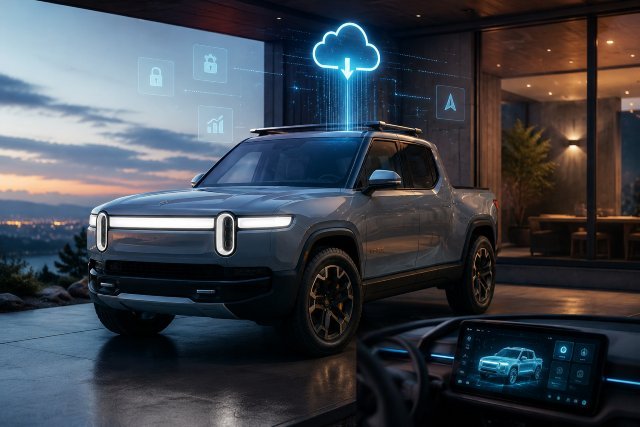
The Rivian 2025.26 Update is one of those software releases that may not look dramatic at first glance, but it brings several meaningful changes for daily driving, road trips, infotainment use, and driver assistance. For Rivian R1T and R1S owners, this update focuses less on flashy new features and more on refinement: sharper steering, smoother apps, better navigation response, improved battery conditioning, and important bug fixes.
- What Is the Rivian 2025.26 Update?
- Rivian 2025.26 Update Features at a Glance
- Improved Steering in Sport and Off-Road Modes
- Gen 2 Driver Assistance Gets a Major Refinement
- Infotainment Feels Smoother and More Stable
- Navigation Responsiveness Improves After Google Maps Integration
- Alexa Now Works With YouTube
- Apple Music Login Fixes
- Better Battery Conditioning Availability
- Climate Control Improvements in Humid Conditions
- Gear Guard and Trip Efficiency Fixes
- New Vehicle Restart Option for Gen 2
- Gen 1 Owners Also Get Useful Fixes
- What the Rivian 2025.26 Update Means for Daily Owners
- Tips Before Installing the Rivian 2025.26 Update
- FAQ: Rivian 2025.26 Update
- What is the Rivian 2025.26 Update?
- Is the Rivian 2025.26 Update available for both Gen 1 and Gen 2?
- Does Rivian 2025.26 improve Driver Assistance?
- Does the update fix infotainment problems?
- Should you install the Rivian 2025.26 Update?
- Conclusion
Rivian’s software strategy has become a major part of the ownership experience. Like many modern EV makers, Rivian uses over-the-air updates to improve vehicles after delivery. According to Rivian’s own support guidance, owners receive software update notifications through the center display and the Rivian app, and most updates require the vehicle to be parked and unavailable during installation.
The 2025.26 release was first noticed on August 8, 2025, and its public release began on August 19, 2025, according to Rivian software tracking coverage. For many owners, the update matters because it touches the parts of the vehicle they use every day: steering feel, climate behavior, driver assistance, navigation, music apps, and charging preparation.
What Is the Rivian 2025.26 Update?
The Rivian 2025.26 Update is a vehicle software update for Rivian R1T and R1S models that improves steering behavior, infotainment performance, navigation responsiveness, battery conditioning availability, and several Gen 2 driver assistance functions. It also includes fixes for Apple Music login problems, Gear Guard display issues, trip efficiency readings, seat conditioning icons, and active grille shutter noise.
In simple terms, this is a polish update. It does not completely change the vehicle interface, but it improves the way the vehicle feels and behaves in several common situations. That is important because EV software updates are not only about adding new icons or entertainment features. Sometimes the most valuable update is the one that makes the vehicle feel more stable, predictable, and easier to live with.
For Rivian owners who drive in Sport mode, take their vehicle off-road, rely on Highway Assist, or frequently use the center display, 2025.26 has several changes worth understanding.
Rivian 2025.26 Update Features at a Glance
The biggest headline features in the Rivian 2025.26 Update include enhanced steering calibrations for Sport and Off-Road drive modes, improved Driver Assistance and detection on Gen 2 vehicles, smoother app performance, better navigation responsiveness, and increased availability of on-demand battery conditioning at lower battery levels.
Rivian also added a vehicle restart option under Settings > Vehicle > Service for Gen 2 models, fixed issues with Gear Guard thumbnails and videos on Gen 2 vehicles, improved climate behavior in humid conditions, and reduced active grille shutter noise on Gen 1 vehicles when waking from sleep.
This makes the update especially relevant for owners who felt the infotainment system needed more responsiveness or who wanted more consistent behavior from vehicle systems like climate control, charging prep, and driver assistance.
Improved Steering in Sport and Off-Road Modes
One of the most noticeable parts of the Rivian 2025.26 Update is the steering calibration improvement. Rivian adjusted steering behavior in Sport and Off-Road drive modes while leaving All-Purpose, Snow, and Conserve modes unchanged.
In Sport mode, the update is designed to maximize tire feedback and improve cornering precision. For drivers, that should mean the steering feels more connected during quick turns, highway ramps, and spirited driving. This does not turn an R1T or R1S into a sports car, but it can make the vehicle feel more controlled and responsive when the driver wants sharper feedback.
The Off-Road changes are equally important. Rivian says the update reduces steering wheel kickback over rocky terrain and improves steering effort and damping during controlled rotation or drifting over gravel. On loose surfaces, Gen 2 models also receive improved steering torque feedback when wheel slip occurs.
For real-world use, this matters because off-road steering is not only about comfort. When driving over rocks, gravel, dirt roads, or uneven trails, harsh steering kickback can make the vehicle feel nervous. Better damping and clearer feedback can help the driver understand what the wheels are doing without feeling every impact through the wheel.
Gen 2 Driver Assistance Gets a Major Refinement
For Gen 2 Rivian R1 vehicles, the 2025.26 update includes improved perception upgrades for autonomous and active safety features. These improvements include better system performance when sensors are temporarily affected by snow, mud, or direct sunlight, plus quicker detection and reaction to traffic situations like cut-ins, merges, and stopped vehicles.
The update also expands vehicle detection across multiple lanes and cross-traffic situations, with improved visualizations on the driver display. Rivian software trackers also noted fewer system disengagements due to poorly marked lanes.
This is a meaningful change because driver assistance systems depend heavily on perception. The vehicle needs to understand lanes, surrounding cars, stopped traffic, merging vehicles, and sensor conditions before it can behave confidently. Better perception does not mean the driver can stop paying attention, but it can make the system feel smoother and more useful in supported situations.
At the same time, owners should treat this update with realistic expectations. After the rollout, some Rivian owners reported Highway Assist behavior that felt rougher in certain situations, including lane-centering concerns. RivianTrackr reported that Rivian was aware of owner feedback and working on further improvements.
That is a useful reminder: driver assistance improvements often arrive in stages. The 2025.26 update appears to be an important step in Rivian’s long-term software development, but owners should continue using these systems responsibly and stay fully attentive while driving.
Infotainment Feels Smoother and More Stable
The center display is one of the most-used parts of any Rivian vehicle, so performance improvements here can have a big impact on daily ownership. The Rivian 2025.26 Update improves the performance and stability of apps on the center display and makes navigation more stable, usable, and responsive to touch gestures like swiping.
This is important because a laggy infotainment system can make even basic actions feel frustrating. Adjusting navigation, switching apps, opening media, or using vehicle controls should feel quick and predictable. The 2025.26 update aims to reduce the small delays and touch-response problems that can make a premium EV feel less polished.
The update also fixes an issue where the center display did not respond properly to multi-touch gestures after streaming DRM-protected video content. This bug was specifically called out in update coverage and was tied to user-reported feedback.
In practical terms, owners who use video streaming, navigation, music, and apps inside the vehicle should notice a more consistent interface. It may not feel like a brand-new operating system, but better stability is exactly the kind of improvement that becomes valuable over time.
Navigation Responsiveness Improves After Google Maps Integration
Navigation improvements are another key part of the 2025.26 release. Rivian improved the stability, usability, and responsiveness of navigation gestures such as swiping.
This matters because the 2025.26 update followed Rivian’s earlier 2025.22 update, which brought Google Maps-powered navigation features into Rivian vehicles. Rivian software tracking notes that the previous update added routes, live traffic, real-time road incidents, searchable points of interest, and satellite imagery with Connect+ subscription support.
So, the 2025.26 update is not just fixing navigation in isolation. It is refining a navigation system that recently became more powerful. For road trips, charging stops, daily commuting, and route planning, better gesture response can make the system feel more natural.
If you use navigation often, this is one of the changes you may appreciate most, even though it sounds small on paper.
Alexa Now Works With YouTube
The Rivian 2025.26 Update also adds support for Alexa working with YouTube. This is a small but useful media improvement for owners who use voice commands and in-vehicle entertainment while parked.
For families, road-trippers, and owners who spend time charging, media integration can improve the parked experience. EV owners often use the cabin while waiting at charging stops, and smoother entertainment access can make those breaks feel more comfortable.
This is not a core driving feature, but it reflects Rivian’s effort to make the cabin experience feel more complete.
Apple Music Login Fixes
The update fixes an Apple Music issue that prevented certain users from signing back into the app. For affected owners, this may be one of the most welcome fixes in the entire release.
Music and audio services are part of daily driving. When login issues break the experience, the vehicle can feel less convenient, especially for owners who rely on Apple Music as their main streaming platform.
Rivian previously partnered with Apple Music for immersive audio support, and EV coverage noted that Apple Music and audio improvements remain an ongoing area of attention for the company.
Better Battery Conditioning Availability
The Rivian 2025.26 Update increases the availability of on-demand battery conditioning when the vehicle battery is low. It also fixes an issue that caused repeated “range is too low” notifications during on-demand battery conditioning for DC fast charging.
This is a practical improvement for road trips and fast-charging sessions. Battery conditioning helps prepare the battery for charging, especially when heading to a DC fast charger. If conditioning is available more often at lower charge levels, owners may have a smoother charging-prep experience.
The repeated low-range notification fix is also useful because unnecessary alerts can create confusion. A good EV interface should warn the driver when something matters, but it should not distract them with repetitive messages when the vehicle is already handling the process.
Climate Control Improvements in Humid Conditions
For Gen 2 vehicles, the update improves cabin climate behavior in humid conditions. This may sound minor, but climate control is one of the systems owners notice immediately when it does not behave well.
Humidity can make cabins feel warmer, windows fog more easily, and comfort harder to maintain. Improved climate behavior should help the system respond more appropriately when humidity is high.
This is especially useful for owners in warm, coastal, rainy, or humid regions where climate control has to manage both temperature and moisture.
Gear Guard and Trip Efficiency Fixes
The 2025.26 update fixes an issue that kept Gear Guard thumbnails and videos from displaying properly on Motion Cam and Incidents screens for Gen 2 vehicles. Gear Guard is an important ownership feature because Rivian owners often use their vehicles for travel, outdoor activities, and parking in unfamiliar places.
The update also fixes inaccurate efficiency and energy consumption values for Trips A and B on Gen 2 vehicles. This is a quiet but important correction. EV owners often rely on trip efficiency data to understand range, driving habits, weather effects, and charging needs.
Accurate trip data helps owners make better decisions, especially on long drives or routes with fewer chargers.
New Vehicle Restart Option for Gen 2
Another useful change is the new restart option under Settings > Vehicle > Service for Gen 2 models. This gives owners a more direct way to restart the vehicle system from the settings menu.
For a software-defined vehicle, a restart option can be helpful when troubleshooting display issues, app behavior, or temporary glitches. It does not replace service support, but it gives owners a simple first step before contacting Rivian.
This is the kind of small utility feature that experienced EV owners often appreciate because it makes the vehicle feel easier to manage.
Gen 1 Owners Also Get Useful Fixes
Although some of the biggest driver assistance improvements are Gen 2-only, Gen 1 owners are not left out. The 2025.26 update includes steering improvements for Sport and Off-Road modes, center display performance improvements, navigation responsiveness improvements, Apple Music fixes, Alexa with YouTube, and battery conditioning improvements.
Gen 1 vehicles also receive reduced active grille shutter noise from the front of the vehicle when waking from sleep. This is a small refinement, but it contributes to a more premium ownership experience.
For Gen 1 owners, the update may feel more like a comfort and polish release than a major feature drop. Still, smoother software, improved steering, and fewer annoying bugs can make the vehicle feel better day after day.
What the Rivian 2025.26 Update Means for Daily Owners
For daily drivers, the Rivian 2025.26 Update means a more refined vehicle. Steering should feel better in performance and off-road situations. Apps should behave more smoothly. Navigation should respond better. Climate control should be more predictable in humid weather. Battery conditioning should be more available when the battery is low.
For Gen 2 owners, the update also signals Rivian’s deeper push into its own driver assistance development. That is exciting, but owners should remain realistic. Early reports after the update showed both improvements and concerns around Highway Assist behavior, which suggests Rivian’s ADAS system is still evolving.
The best way to view this update is as a foundation. It improves many areas now and prepares the vehicle for more refinement later.
Tips Before Installing the Rivian 2025.26 Update
Before installing any Rivian OTA update, make sure your vehicle is parked somewhere safe and has enough battery range. Rivian says the vehicle is inoperable during an update, and most updates finish in about an hour, though the exact time can vary.
It is also smart to avoid starting an update right before you need to drive. If you have a commute, school pickup, appointment, or charging stop coming soon, install the update when you have extra time.
After installation, check key systems you use often. Open navigation, test your media apps, review climate behavior, and confirm your driver assistance settings. If you use Gear Guard, check whether thumbnails and recordings display as expected.
FAQ: Rivian 2025.26 Update
What is the Rivian 2025.26 Update?
The Rivian 2025.26 Update is an OTA software release for R1T and R1S vehicles that improves steering, infotainment performance, navigation responsiveness, battery conditioning, climate behavior, and Gen 2 Driver Assistance features.
Is the Rivian 2025.26 Update available for both Gen 1 and Gen 2?
Yes, the update applies to both Gen 1 and Gen 2 R1 models, although some features are specific to Gen 2 vehicles. EV coverage reported that Rivian began rolling out the 2025.26 update to both Gen 1 and Gen 2 R1 models in August 2025.
Does Rivian 2025.26 improve Driver Assistance?
Yes, but mainly for Gen 2 vehicles. The update improves perception, sensor-obstruction handling, detection of traffic situations, multi-lane vehicle detection, and driver display visualizations.
Does the update fix infotainment problems?
The update improves app performance and center display stability. It also fixes a multi-touch gesture issue after DRM-protected video streaming and improves navigation responsiveness.
Should you install the Rivian 2025.26 Update?
Yes, most owners should install it because it includes useful improvements and bug fixes. Just make sure the vehicle is parked, has enough battery, and is not needed during installation. Rivian notes that vehicles are unavailable during updates and most updates finish in about an hour.
Conclusion
The Rivian 2025.26 Update is not just a routine software patch. It brings practical improvements that affect steering feel, driver assistance behavior, infotainment performance, navigation response, climate comfort, charging preparation, and everyday usability.
For Gen 2 owners, the biggest story is improved Driver Assistance and perception, even though early Highway Assist feedback shows that Rivian still has more refining to do. For Gen 1 owners, the update still delivers meaningful upgrades through better steering calibration, smoother apps, improved navigation, and quieter wake behavior.
Overall, the Rivian 2025.26 Update shows how important software has become in the EV ownership experience. It may not completely transform the R1T or R1S overnight, but it makes the vehicle feel more polished, more responsive, and better prepared for future improvements.